About the app — how to explain BuySale to a shop owner

Every section comes with a real screenshot from the app: what it does and how to put it to a shop owner. Below are pricing, a sales routine, answers to objections and ready-made messages. Written for partners, but useful for anyone getting to know the app.

Become a partner7 days free · from 6 630 UZS a day · no setup fee

What BuySale is

Software for small shops: a till and barcode scanner on your phone, stock levels, a customer credit book and a net profit report in Telegram every evening. It runs on Android, Windows and in the browser (app.buysale.uz). BuySale isn’t a fiscal till — it works alongside one.

7 daysfree trial
6 630 UZSa day, from
0 UZSsetup fee
22:00daily report in Telegram

Who it’s for

groceryphonehousehold goodsbarbershopbeauty saloncomputer repairappliance repairjewelleryperfumehardwareclothingpharmacy

What’s in the app

Each section: what it does, its main features and a ready line for the shop owner.

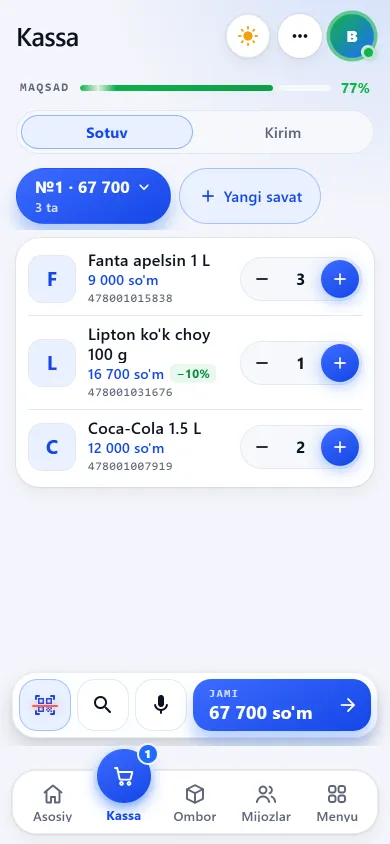
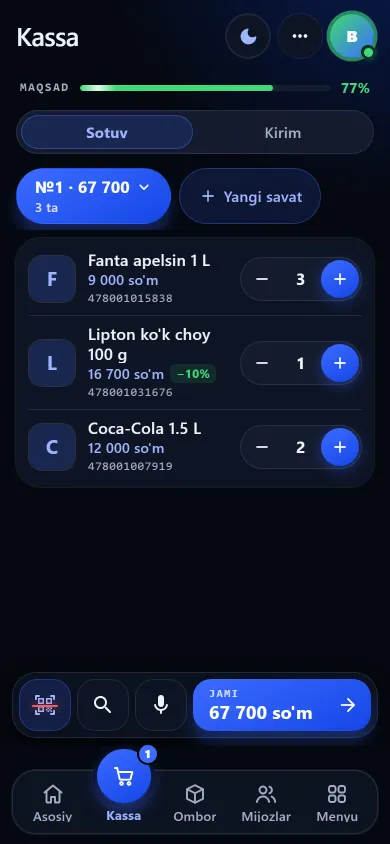
Till — selling on a phoneTill — selling on a phone

Till — selling on a phone

Items are scanned by barcode with the phone camera or found by name. A sale closes in seconds: cash, card or on credit.

  • The camera works as a scanner — no extra device needed
  • Several baskets at once: the next customer doesn’t wait
  • Receipts print or go out via Telegram
Tell the shop owner“Your phone becomes a till: point the camera at an item, the price appears, and one tap sells it.”
Learn more →

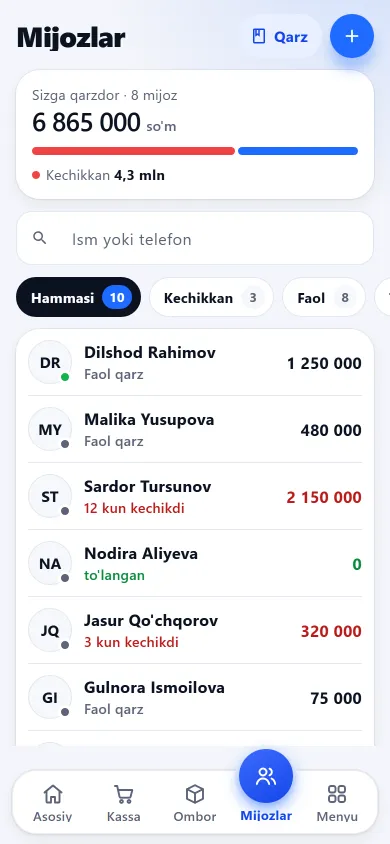
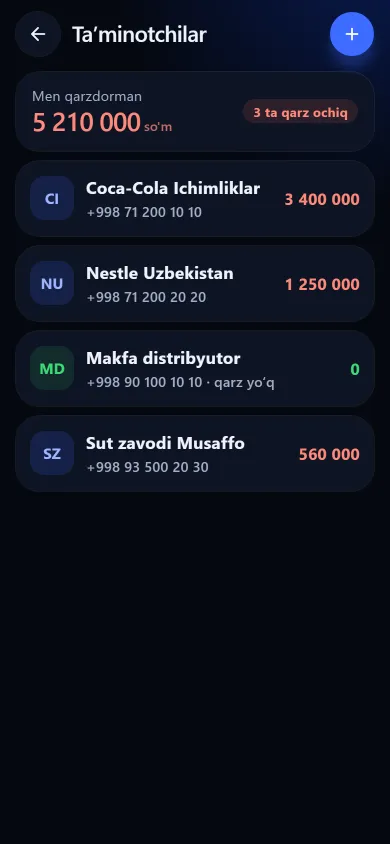
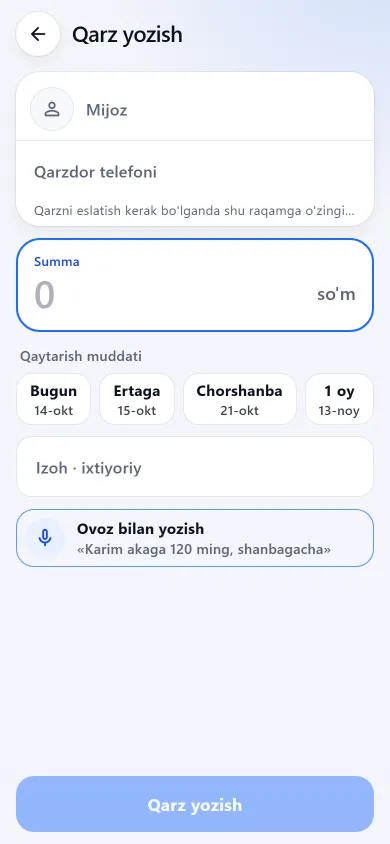
Customer credit bookCustomer credit book

Customer credit book

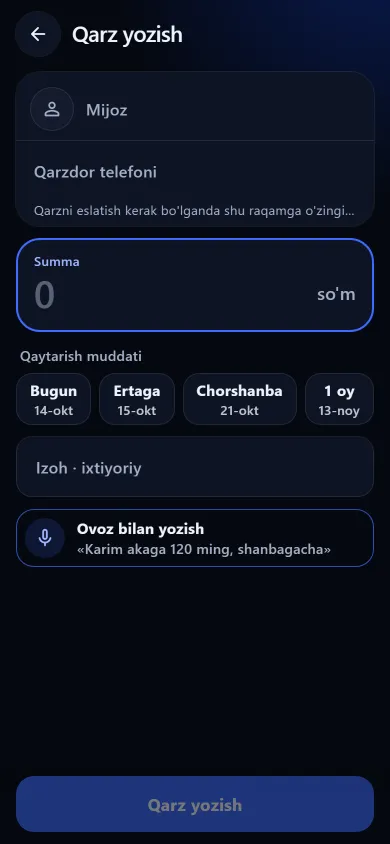
Who owes how much and by when — it’s all recorded. Debts can be dictated or typed: amount, name, due date, note.

  • Every debt is stored with a due date
  • Overdue debts are shown separately
  • A reminder text for the debtor is prepared
Tell the shop owner“Lose the notebook and you lose the debts. Here every debt has a due date, so you see straight away who’s late.”

Learn more →

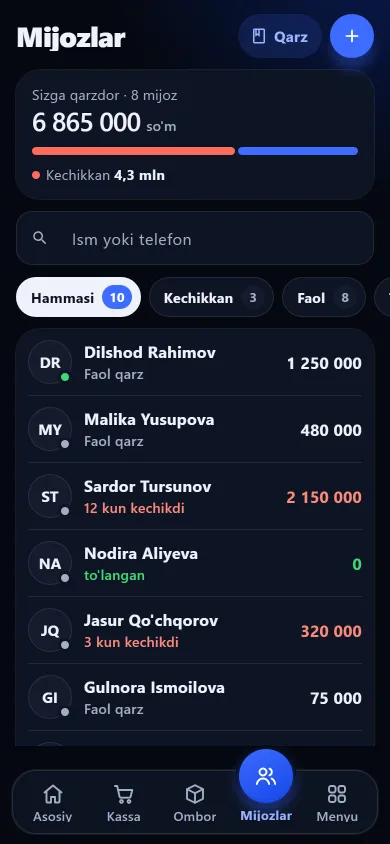
CustomersCustomers

Customers

A list of regular customers: phone, total purchases, outstanding debt and payment history in one place.

  • Each customer’s debts and payments
  • Search by name or phone
  • A list of reminders
Tell the shop owner“Who bought what and who paid back how much — one tap away.”
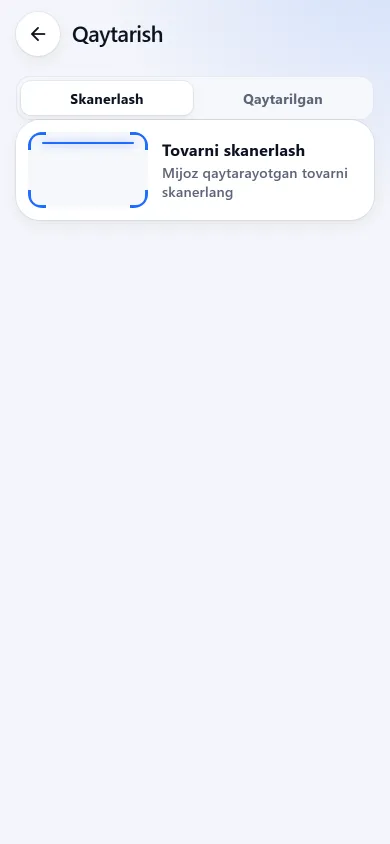
ReturnsReturns

Returns

When a customer returns something, it’s done against the receipt: the money comes off the books and the item goes back into stock.

  • Partial returns are possible
  • Returned items go back into stock
  • Reports and profit adjust themselves
Tell the shop owner“Returns don’t break the books — both the item and the money land where they belong.”

Learn more →

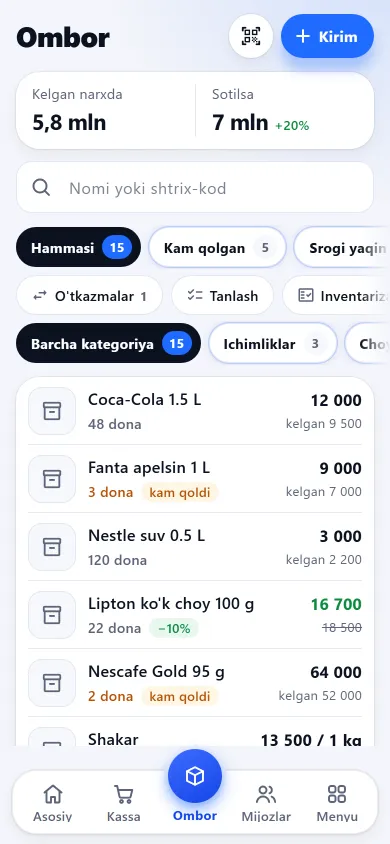
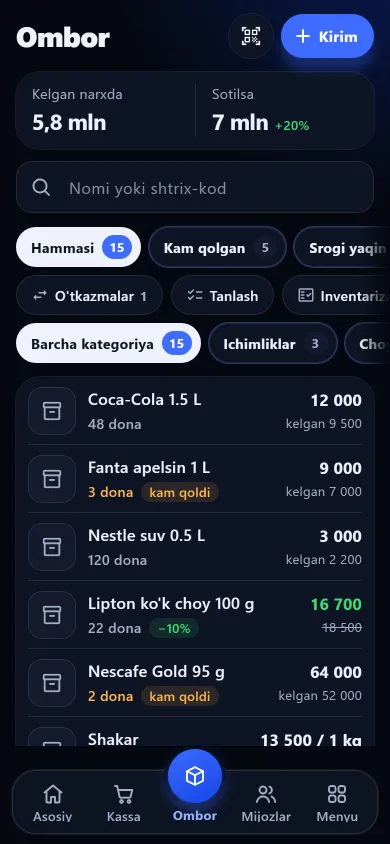
Stock levelsStock levels

Stock levels

Every item’s stock is always in front of you, with warnings for items running low or nearing their expiry date.

  • A list of items running low
  • Expiry date tracking
  • Money in stock — total at cost
Tell the shop owner“You find out an item is running out ahead of time — not when a customer asks for it.”

Learn more →

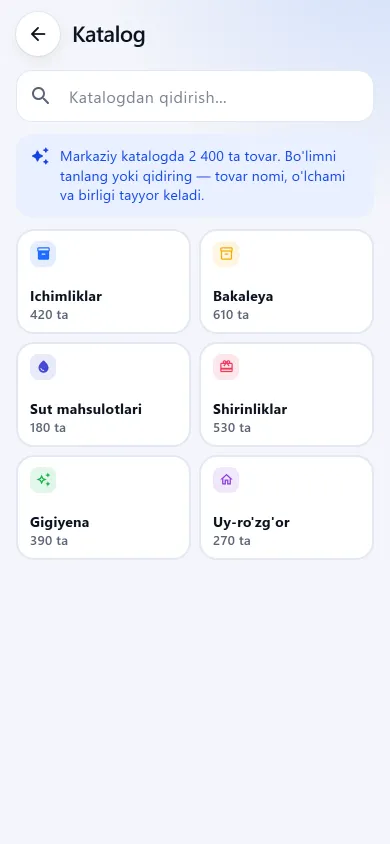
Receiving stock and a ready catalogueReceiving stock and a ready catalogue

Receiving stock and a ready catalogue

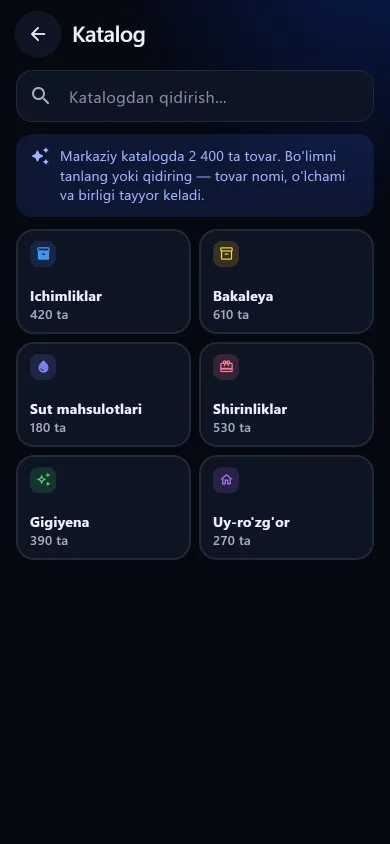
Scan a new item’s barcode and, if it’s in the catalogue, its name, photo and unit fill in by themselves. The shared catalogue has more than 14,000 items.

  • Supplier and cost are recorded on receipt
  • Each delivery is its own batch with its own expiry
  • You can import from Excel too
Tell the shop owner“No typing items in one by one — scan, and the name and photo appear on their own.”
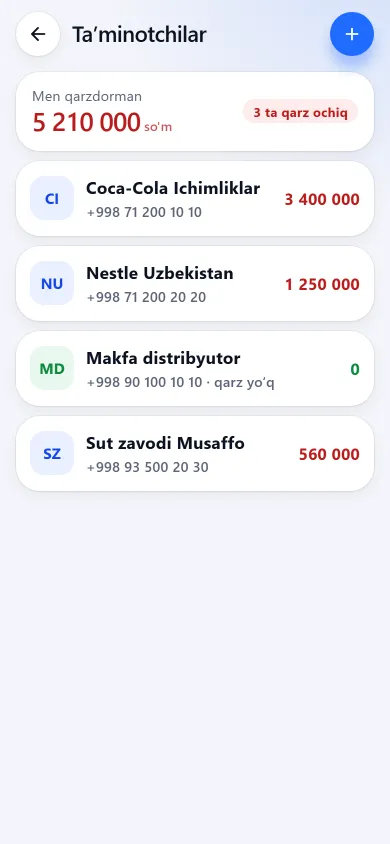
Suppliers and ordersSuppliers and orders

Suppliers and orders

What you got from each supplier, how much you owe and your payment history. The order list builds itself from items running low.

  • Goods received from each supplier, day by day
  • Debts to suppliers and payments
  • Send the order via Telegram
Tell the shop owner“What you bought from whom and how much you owe each one — all in one place.”

Learn more →

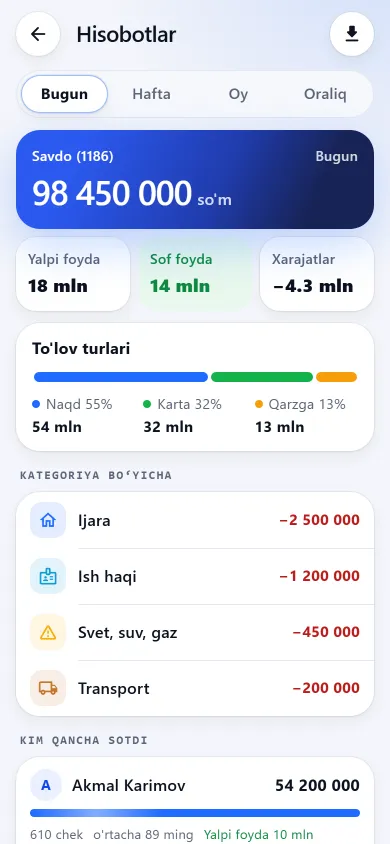
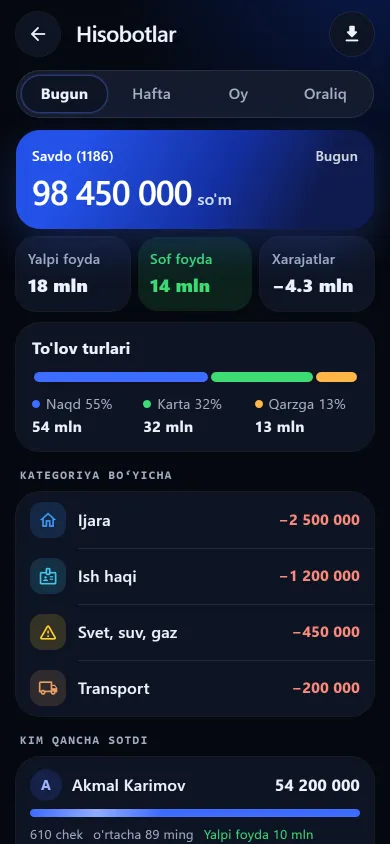
Reports and net profitReports and net profit

Reports and net profit

Sales, gross profit, expenses and net profit — by day, week and month. Every evening at 22:00 the daily report arrives in Telegram.

  • Net profit: sales − cost − expenses
  • Payment types and who sold how much
  • A report in Telegram every evening
Tell the shop owner“No more wondering at month end where the profit went — the number lands on your phone every evening.”

Learn more →

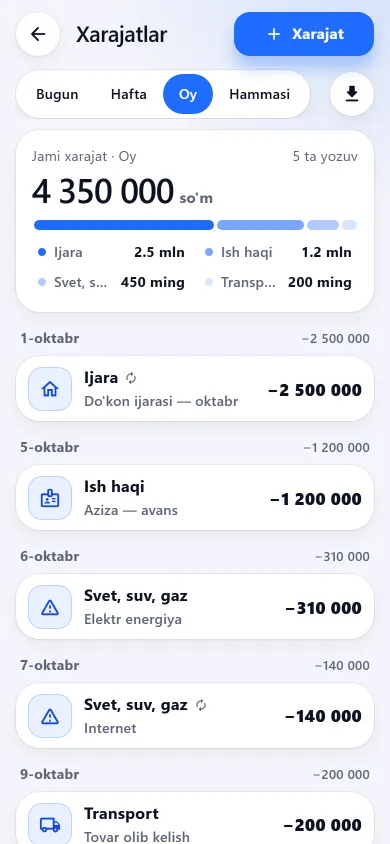
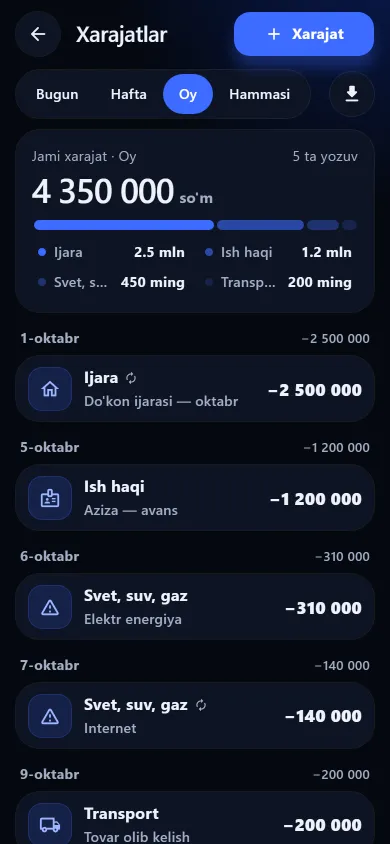
ExpensesExpenses

Expenses

Rent, electricity, wages and other costs are recorded and subtracted from net profit.

  • By category
  • Counted in net profit automatically
Tell the shop owner“You see your real profit — expenses are counted too.”

Learn more →

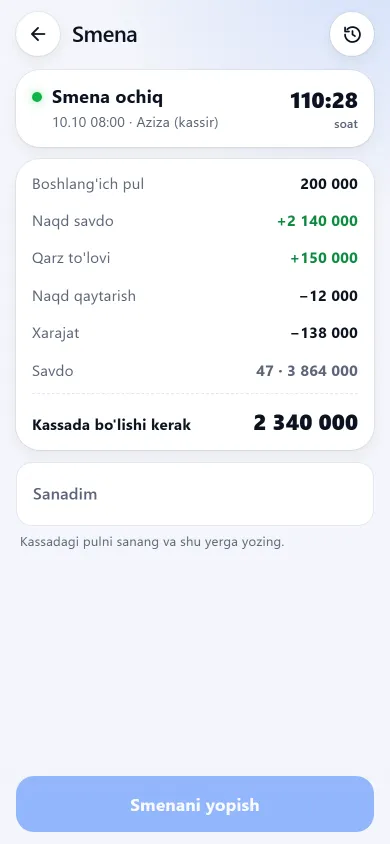
Shifts and cash in the tillShifts and cash in the till

Shifts and cash in the till

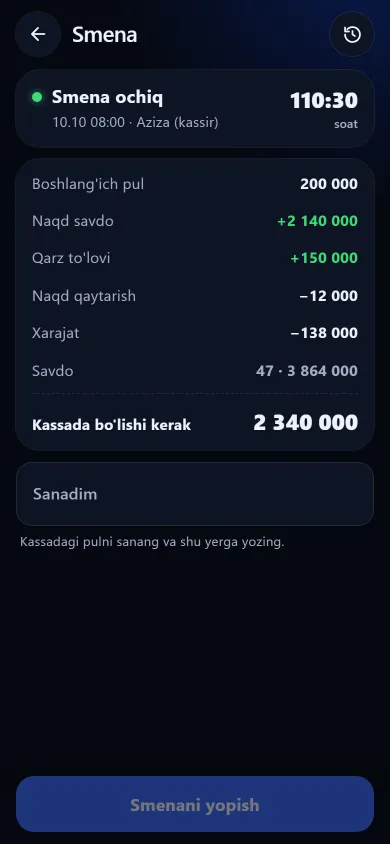
Shifts are opened and closed. The cash that should be in the till is broken down line by line, so any gap shows up at once.

  • Cash count at the start and end of a shift
  • Shortages and surpluses are visible
Tell the shop owner“The app tells you how much cash should be in the till tonight — no guessing.”

Learn more →

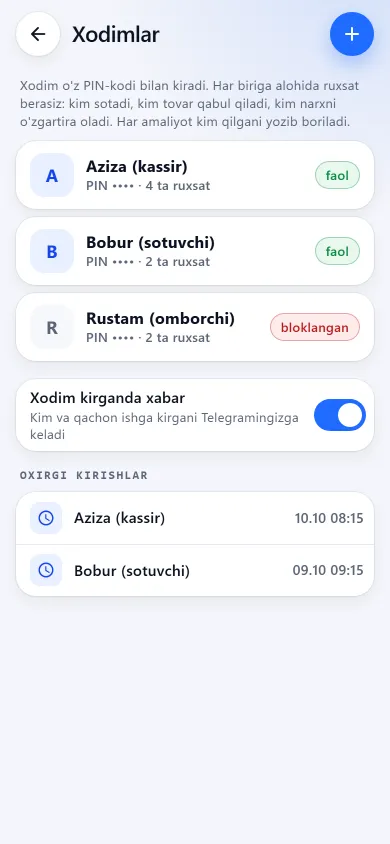
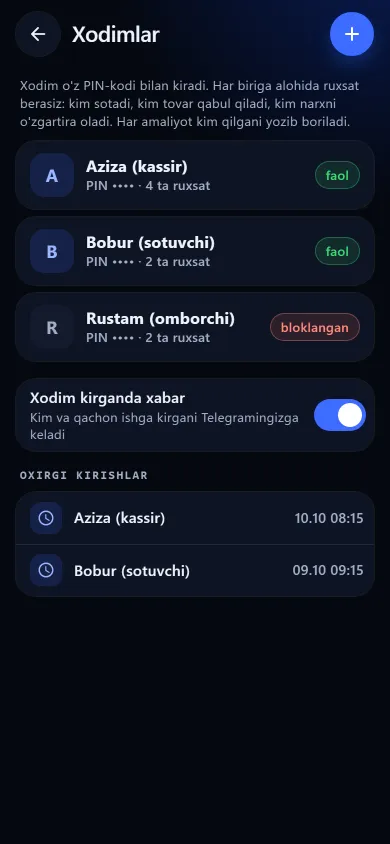
Staff and permissionsStaff and permissions

Staff and permissions

Each seller signs in with their own PIN and sees only what you allow — for example, not cost prices or profit.

  • Separate permissions for each employee
  • Who sold how much, and KPIs
  • Every action is logged with who did it
Tell the shop owner“Sellers see only what you allow. You see who sold how much.”

Learn more →

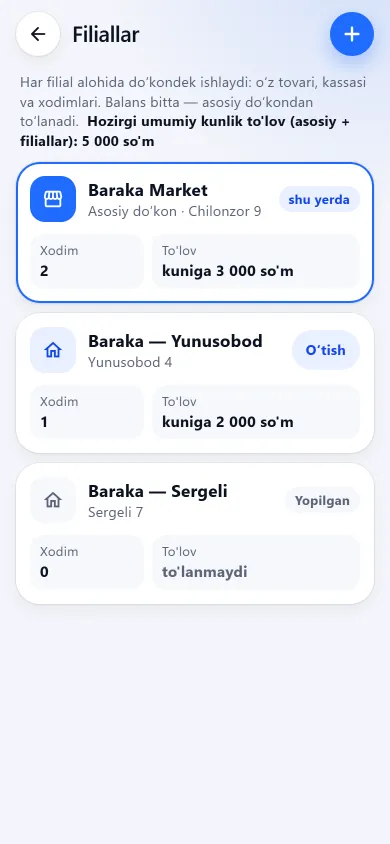
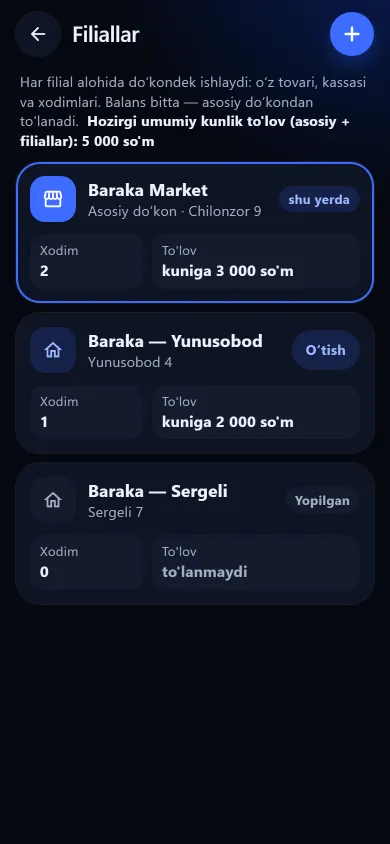
Branches and stock transfersBranches and stock transfers

Branches and stock transfers

Several shops under one account: switch between branches and move stock from one shop to another.

  • A separate report for each branch
  • Stock transfers between branches
Tell the shop owner“Open a second shop and you run it in the same app, from one phone.”

Learn more →

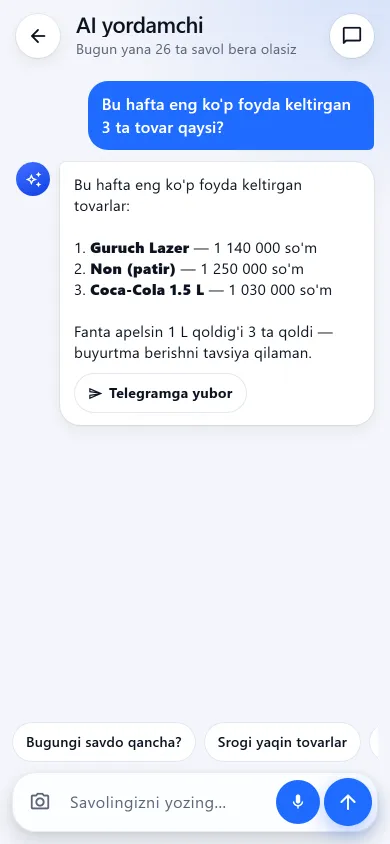
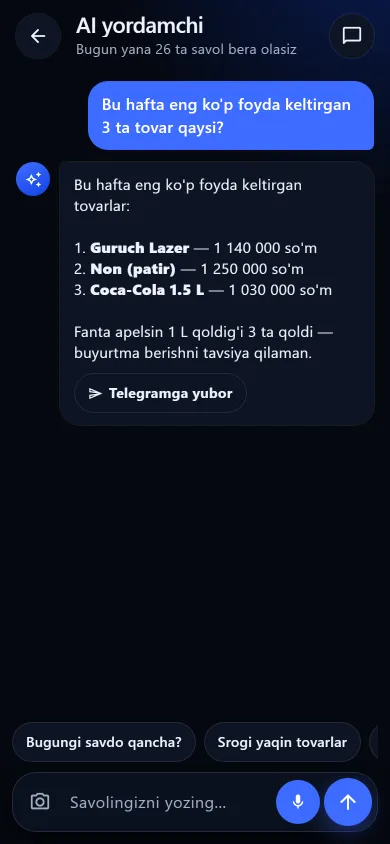
AI assistantAI assistant

AI assistant

Ask a question and it answers from your stock and sales: “what sold best this week?”, “which item is running out?”.

  • Ask in plain words
  • Answers from your own shop’s data
Tell the shop owner“No number-crunching — you ask, the app answers.”

Learn more →

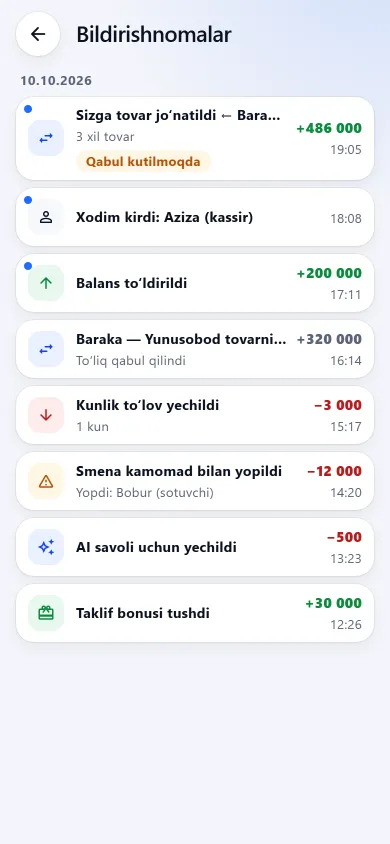
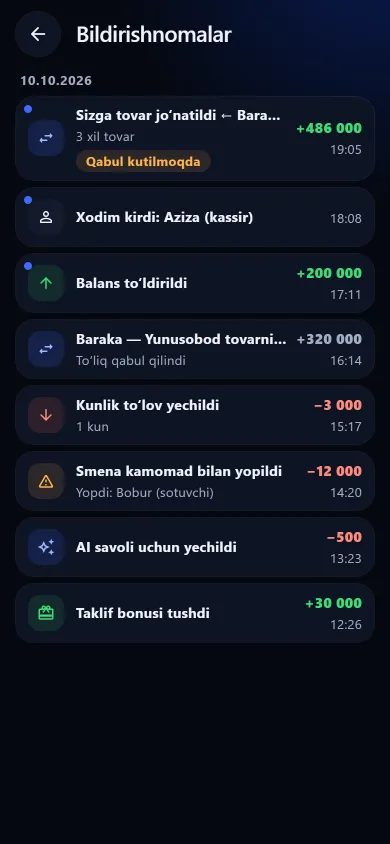
Reminders and notificationsReminders and notifications

Reminders and notifications

Notifications about debt due dates, items running low and news.

  • Debt due-date reminders
  • Low-stock warnings
Tell the shop owner“No need to keep it all in your head — the app reminds you.”

Screenshots are from the app itself, using a demo shop: item names and amounts are made up.

Pricing

Shop typePer dayPer 30 days
Grocery, mini market6 630 UZS198 900 UZS
Phone shop6 630 UZS198 900 UZS
Household goods6 630 UZS198 900 UZS
Barbershop6 630 UZS198 900 UZS
Beauty salon6 630 UZS198 900 UZS
Computer repair shop6 630 UZS198 900 UZS
Appliance repair shop6 630 UZS198 900 UZS
Jewellery shop6 666 UZS199 980 UZS
Perfume shop6 666 UZS199 980 UZS
Hardware shop7 000 UZS210 000 UZS
Clothing shop8 000 UZS240 000 UZS
Pharmacy10 000 UZS300 000 UZS

Payment comes off the balance day by day — no need to pay a year upfront. 7 days free, and there’s no charge for setup or training. Branch pricing and AI requests are on the pricing page. Pricing →

How to sell it — 5 steps

01

Ask about the pain

“Where do you write down debts? Do you know your profit at month end? How do you check what a seller sold?” — let the owner name the problem.

02

Show three things

Not everything: the till (scanning with the phone camera), the credit book and the evening profit report. Those three convince most owners.

03

Sign them up through your link

If the owner signs up through your link, the shop is attributed to you. Best of all, do it together on their phone.

04

Add the first items together

Scan in 10–20 items and walk through one sale. Owners who’ve tried it themselves stay after the free days.

05

Call before the free days end

Answer their questions and show how to top up the balance. Your reward starts once the shop starts paying.

If the owner says this, answer like this

“It’s expensive”

From 6 630 UZS a day — the price of a cup of tea. One lost debt or one unnoticed shortage costs more than a month’s fee. No setup fee, and 7 days free first.

“I don’t have a computer”

You don’t need one: the app runs on a phone and the camera reads barcodes. It also runs on a Windows computer if you like.

“The internet is bad here”

The Android and Windows apps work offline for up to 7 days: sales are saved on the device and sent automatically once the connection is back. The browser version (app.buysale.uz) needs the internet.

“A notebook works fine for me”

A notebook doesn’t work out profit, doesn’t show stock and can get lost. Here net profit lands in Telegram every evening and debts are kept with due dates.

“My seller won’t manage to learn it”

Selling is one screen: scan and tap a button. The seller only gets the sales screen; everything else stays hidden.

“Does it issue tax receipts?”

No — BuySale isn’t a fiscal till and doesn’t connect to the tax system. It keeps the shop’s internal books alongside a fiscal till: stock, credit, profit and control.

“Who can see my data?”

Only the shop owner sees the shop’s data. Staff see only what the owner allows.

Ready-made messages

Copy and send via Telegram, Instagram or SMS.

Short (Telegram / Instagram)
Hello! I’d recommend BuySale for your shop: a till and barcode scanner on your phone, stock levels, a customer credit book and a profit report in Telegram every evening. 7 days free.
[your link]
Detailed
Hello! BuySale lets you run your shop’s books on a phone:

• Till — the phone camera reads barcodes
• Credit book — every debt with a due date
• Stock — warns about items running low
• A net profit report in Telegram every evening at 22:00
• Separate permissions for sellers

From 6 630 UZS a day, no setup fee, 7 days free first.
Sign up: [your link]
After a call
As we discussed, here’s the link: [your link]
Sign up with your phone number — 7 days free. I’ll help you add your first items.

In the partner cabinet these messages come with your personal link already filled in — a shop that signs up through it is attributed to you.

BuySale

Know shop owners? Become a partner

Up to 50% of every payment from each shop that comes through your link, for 12 months. An official contract and a personal cabinet.

Partner programme