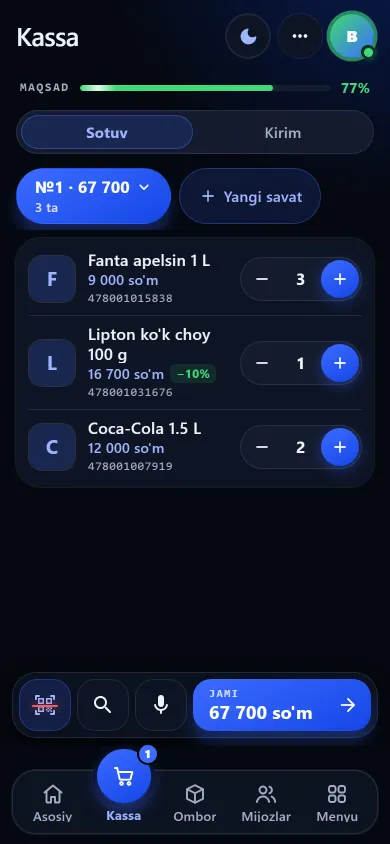
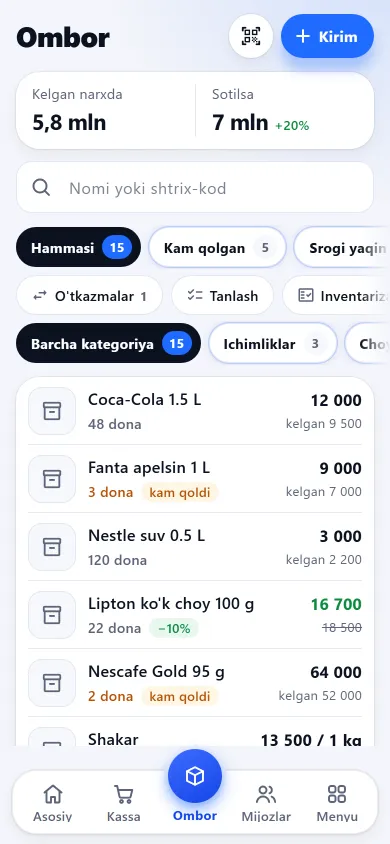
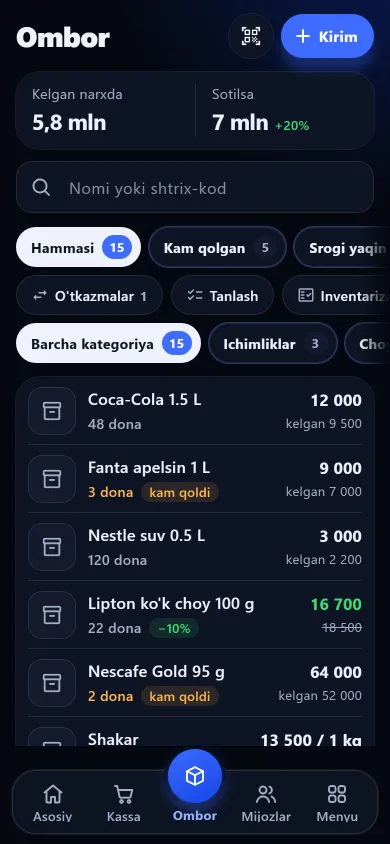
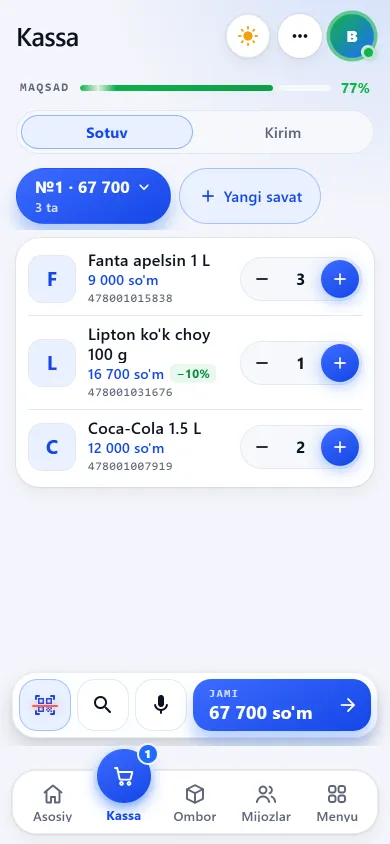
You do not have to buy a separate scanner: tap the scanner button at the till, your phone camera opens and the code on the label is read. Below you will find which codes are read and what to do when one will not read.
The scanner button sits at the till; a scanned item drops into the basket and can be found in the stock list too. At goods-in the factory code is also looked up in the central catalogue: if the product is there (more than 1,700 verified products), its name and section fill in.

New design
Previous design
New design
Previous design
New design
Previous designThese screenshots come from a demo shop: the products, customers and amounts in them are invented. A real shop’s screen shows customer names and their debts, so we do not publish those. The screens themselves look exactly like this.
The codes on most shop goods are read — the full list is in the table below. The rest were left out: better to say so plainly than to promise a code that will not be read.
Most goods in a shop
Small packs: gum, chocolate
Imported goods
Cases and warehouse tags
Older warehouse tags
Jewellery tags print with this code
The small square code on medicine marking
The large code on a carton
Documents and special tags
ITF-14 was left out on purpose: it can “read” part of a code and return a wrong short number. Pharmacy marking codes (DataMatrix) are not read either — medicines are tracked by their ordinary EAN code.
The scanner sits on the till, stock, intake and returns screens alike. Tap it and the phone camera opens — nothing to plug in or install.
The moment a code is read you get a short beep, the phone vibrates and the screen flashes. If the product is not found the sound is different: lower and twice.
During a sale the scanner stays open: you hold up items one after another and anything in the database with enough stock drops into the basket by itself. Below you see the basket name, how many different items are in it and the total.
So one item is not added twice, a repeat read is blocked for at least 1.2 seconds. If the code is not in the database the scanner closes and offers to attach it to a product.
On a tiny or glossy label set the zoom to 2× or 3×, and in the dark turn on the torch if the button is there. Line the code up in the middle of the screen and hold the phone still.
On some phones the main camera cannot focus up close — use the button inside the scanner to move to another back camera.
While the camera is open there is a “Reset scanner” button at the bottom, beside a line naming the running camera and the frames checked. If the scanner sits open several seconds reading nothing, twice in a row, the saved camera and zoom choice clears itself.
If the code was read but no product matched, the app remembers it and opens your list: tap the product and the code is attached to it.
For a neighbourhood shop, a pharmacy, a clothing or perfume shop the phone is enough: a customer takes an item or two, the seller holds up the code and the basket fills. To be straight with you: where the queue is long and one customer takes a dozen items, a handheld USB scanner is still more comfortable — it asks for neither focus nor light. The BuySale scanner is built for neighbourhood-shop pace. Which equipment pays off when is on the shop equipment page.
At neighbourhood-shop pace, yes. Tap the scanner button, the camera opens, you hold up items one after another and the basket fills itself. In a supermarket with a long queue a USB scanner stays more comfortable.
DataMatrix (medicine marking), ITF-14 (the large code on a carton), PDF417, Code-93 and Codabar are not read. ITF was left out deliberately: it could “read” part of a code, return a wrong short number and put the wrong product in the basket.
It means the code is not attached to any product yet. The app remembers it and opens your product list: tap the right one and the code is attached, so next time it is found immediately. If the code already belongs to another product, the app says so instead of moving it silently. One product can carry several codes — the unit code, the case code, an old and a new one.
No. For an item with no factory code — home-made goods, a piece of jewellery — the app generates its own 13-digit code starting with “20”, which can never clash with a factory code. You print the label right away, stick it on, and from then on it scans like any other code — see the barcode and label guide.
In a grocery-type shop, yes, but it has to be set up first. Each item sold by weight gets a scales number (PLU) in the app, and that number is entered into the scales themselves; the scales must print an in-store 13-digit code starting with 22 for weight or 21 for price. After that, scanning the label reads the weight out of the code and fills the quantity into the basket by itself.
No. You type the code by hand — in the field inside the scanner or in the search line at the till, at least 6 digits. You can also find the product by name. If the camera will not open, the scanner switches to manual entry on its own.
A POS app on your phone: camera barcode scanning, cash, card and credit sales, 58/80 mm receipts and shift cash counts. Not a fiscal till. 7 days free.
Learn more →Which barcode formats a phone camera reads, how to attach a code to a product, generate an EAN-13 for unlabelled goods and print labels on A4 or a roll.
Learn more →Scanner, receipt and label printers, scales and a fiscal till: what you need now and what can wait. Where a phone camera is enough — an honest answer.
Learn more →Make a free in-store EAN-13 barcode starting with 20 for items without one and print labels on A4 or a roll. Supplying retail chains needs a GS1 code.
Learn more →Phone shop software: each handset is stocked with its IMEI, receipts show the IMEI and warranty date, and an IMEI lookup shows when it sold and the cover left.
Learn more →
7 days free, no payment card needed. Then from 6 630 UZS a day, depending on the shop type.
Start for freeBuySale assistant
Answers from what is published on this site
AI can make mistakes — check anything important via Telegram.
Writing an answer