Taking goods back — without hunting for the receipt

When a customer brings something back the first question is usually “do you have the receipt?”. In BuySale you do not need one: scan the item and the app finds which sale it came from, when and at what price. If there are several, the most recent is picked for you.

Try 7 days freeNo payment card needed

How the money goes back and the books correct themselves

Three options: cash, card, or off the customer’s debt. The third appears only if that sale involved credit, and it works correctly with split payments too. The amount is worked out from the price at the time of the till sale, even if the price has changed since.

The returns screen — from the app itself

The return flow, the till and the result in the report look like this on a phone.

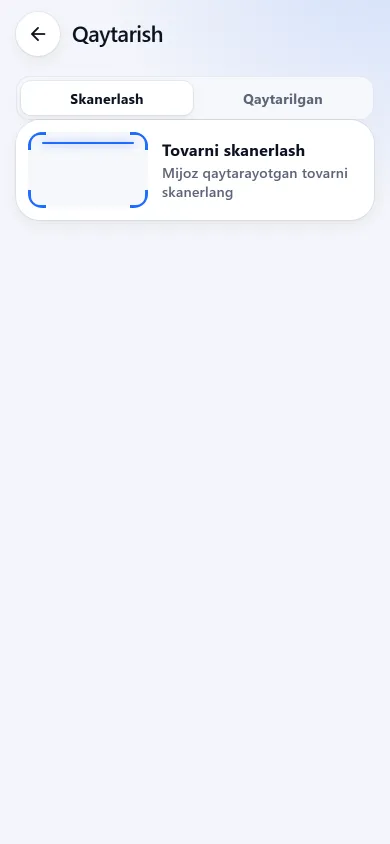
The returns screen with a scan button and the returning item’s cardThe returns screen with a scan button and the returning item’s cardNew design
The returns screen with a scan button and the returning item’s cardPrevious design
ReturnsScan the item and the app finds which sale it came from.
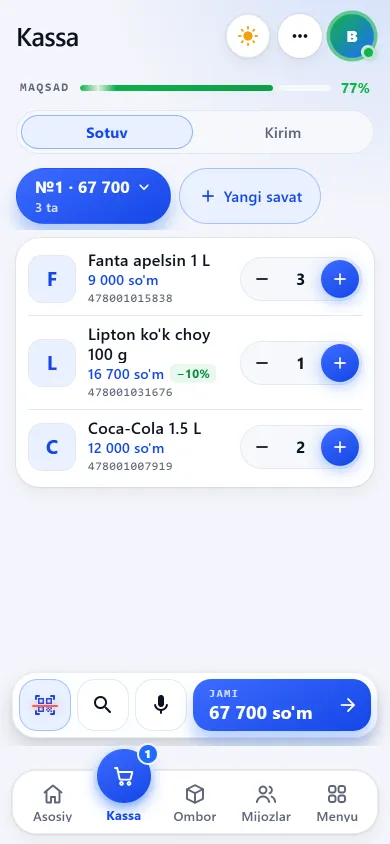
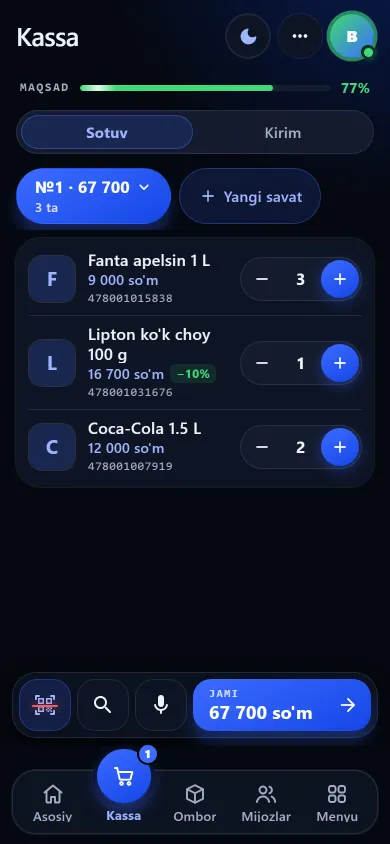
The till screen with a basket, a search field and a scanner buttonThe till screen with a basket, a search field and a scanner buttonNew design
The till screen with a basket, a search field and a scanner buttonPrevious design
The tillSales, goods intake and receipt history, with the expected cash shown on top.
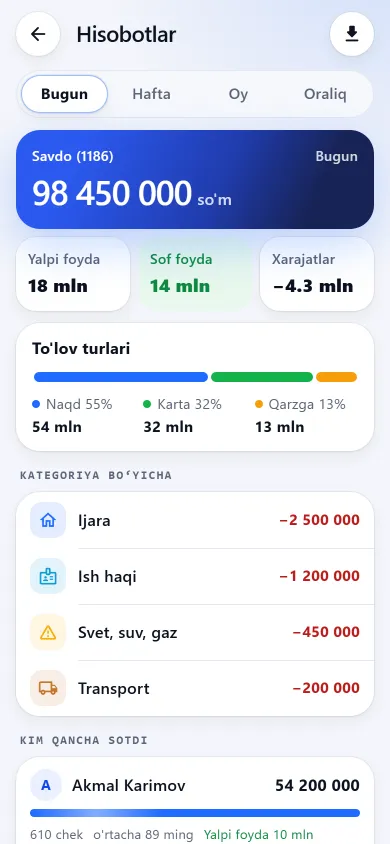
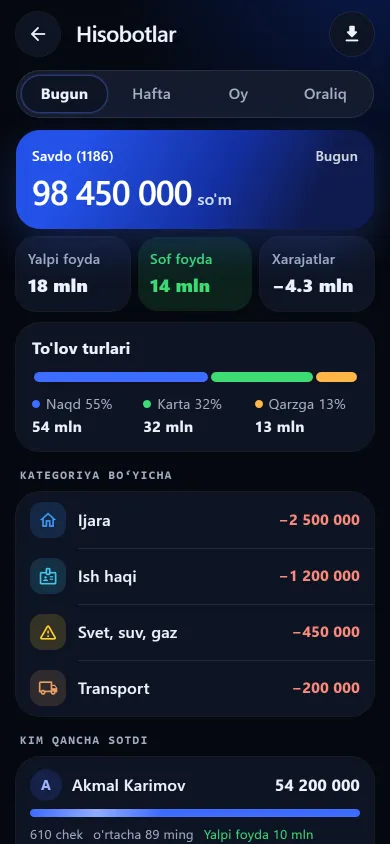
The report screen showing sales, gross profit, expenses and net profitThe report screen showing sales, gross profit, expenses and net profitNew design
The report screen showing sales, gross profit, expenses and net profitPrevious design
ReportsSales, gross profit, expenses and net profit, then payment types and who sold what.

These screenshots come from a demo shop: the products, customers and amounts in them are invented. A real shop’s screen shows customer names and their debts, so we do not publish those. The screens themselves look exactly like this.

What this section does not do

Frequently asked questions

Can I take a return if the customer lost the receipt?

Yes. The flow is built for exactly that: scan the item and the app finds the sale — no receipt number and no paper needed. If several sales match you can pick another from the list, each showing the date, the customer and the price at the time.

What happens if goods taken on credit come back?

The refund is taken off the customer’s unpaid debt — as much as the debt can absorb. If the debt is already settled the record switches itself to “cash” and the money is handed back, otherwise the customer would return goods and get nothing. You never have to correct the ledger by hand.

Could a seller fake a return and pocket the money?

Accepting returns is a separate permission: withhold it and the server refuses the request (the ready-made “Till only” set does not have it). Even when granted, every return is stored with who did it, when and why, and the staff report shows each person’s returned total as a separate red figure — including anyone who sold nothing at all that period. More in staff permissions and staff oversight.

Related pages

BuySale

Try it today and see the difference tomorrow.

7 days free, no payment card needed. Then from 6 630 UZS a day, depending on the shop type.

Start for free